
Z2Gsync
Zimbra to Google Workspace Migration
Seamless Zimbra to Google Workspace Migration
Enterprise-grade, self-hosted migration platform with complete data integrity, incremental sync, and comprehensive reporting.
Complete Migration Capabilities
Migrate all your Zimbra data to Google Workspace with precision and reliability
Email Migration
Complete email migration with folder structure, attachments, and sharing permissions preserved.
- • Full folder hierarchy
- • Attachment migration
- • Sharing permissions
- • Message deduplication
Calendar Migration
Complete calendar migration, including events, attachments, and proper sharing mapping and permission.
- • Event deduplication
- • Shared calendar handling
- • Timezone preservation
Contact Migration
Migrate all contacts with complete fidelity including groups, photos, and custom fields.
- • Contact deduplication
- • Data integrity
- • All fields imported
Briefcase Migration
Migrate Zimbra briefcases to Google Drive with proper folder structure and sharing permissions.
- • Complete folder structure
- • File metadata preservation
- • Sharing permissions
Task Migration
Migrate tasks and task lists with status, due dates, and completion status preserved.
- • Task list migration
- • Status and due dates
- • Completion tracking
Delta Migration
Incremental migration support for all data types with automatic deduplication.
- • Email delta sync
- • Calendar delta sync
- • Contact delta sync
- • Task delta sync
Complete Feature Matrix
Comprehensive overview of Z2Gsync capabilities
| Feature Category | Capability | Supported |
|---|---|---|
| Basics Migration | E-mails | |
| Calendar | ||
| Tasks | ||
| Contacts | ||
| Briefcase | ||
| Admin Authorization | ||
| Interface | GUI (Graphical Interface) | |
| Sharing Permissions | Calendar | |
| Mailbox | ||
| Briefcase | ||
| Delta Migration | ||
| Calendar | ||
| Tasks | ||
| Contacts | ||
| Extras | E-mails reimport | |
| Attachments migration |
Simple Process
Intuitive and controlled migration in four fundamental steps
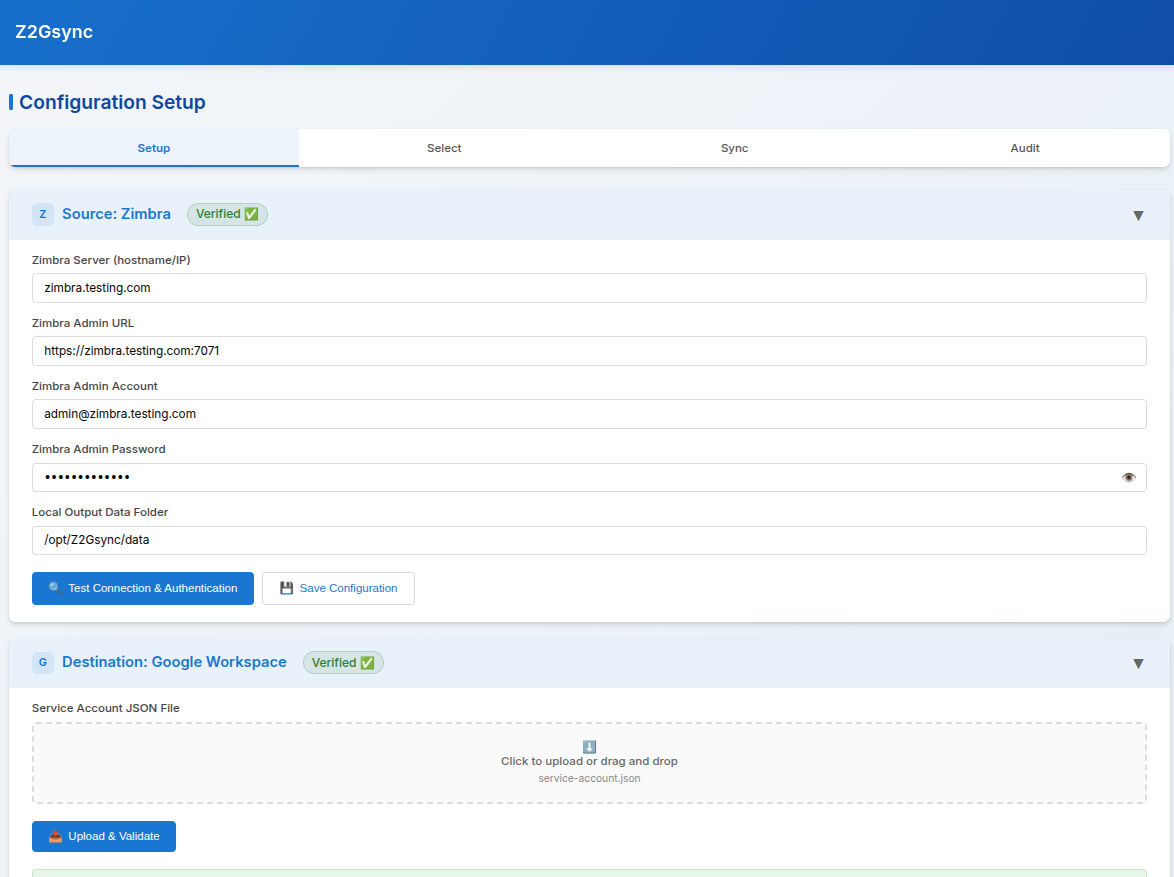
Setup
Connect to Source and Destination. Configure your infrastructure and establish a secure, centralized connection between Zimbra and Google Workspace environments.
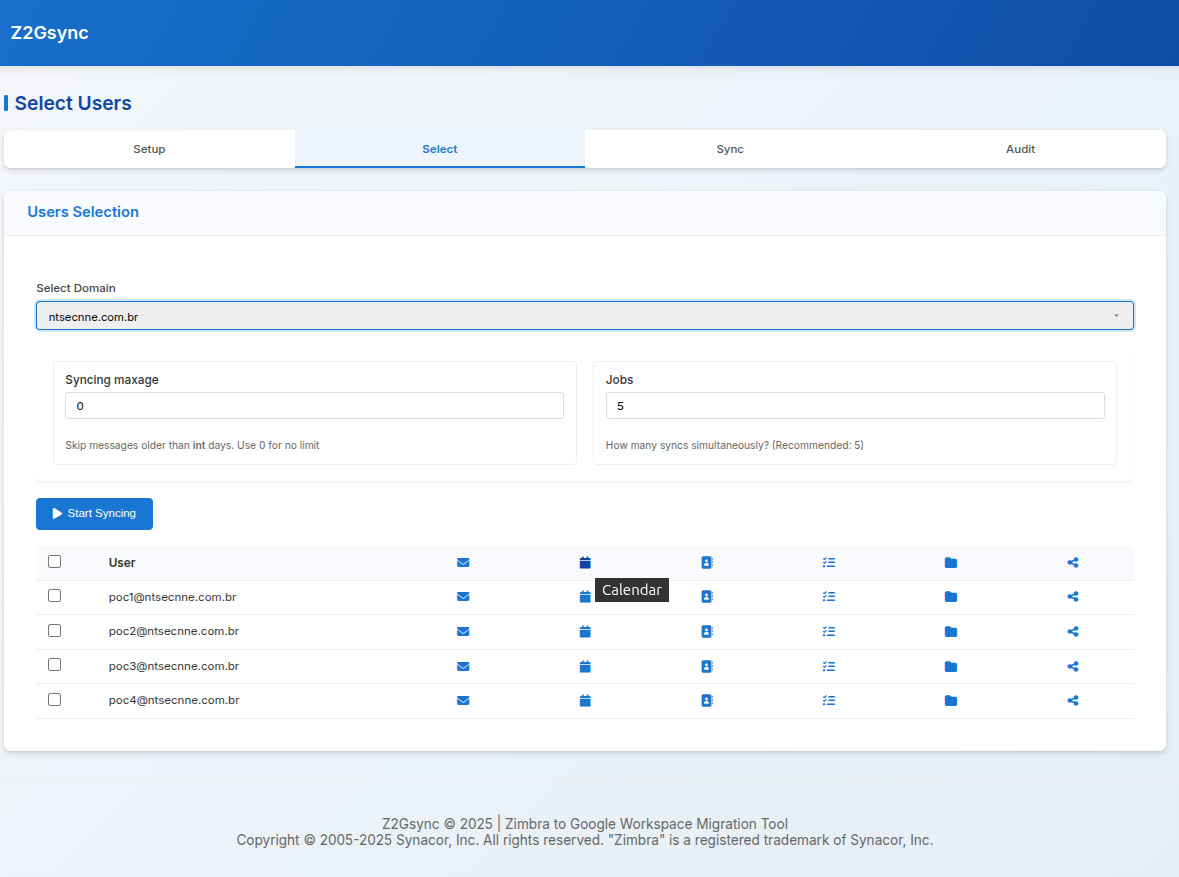
Select
Pick domain, users and what to sync. Granularly select which domains, users, and specific data types (emails, contacts, calendars) will be part of the migration process.
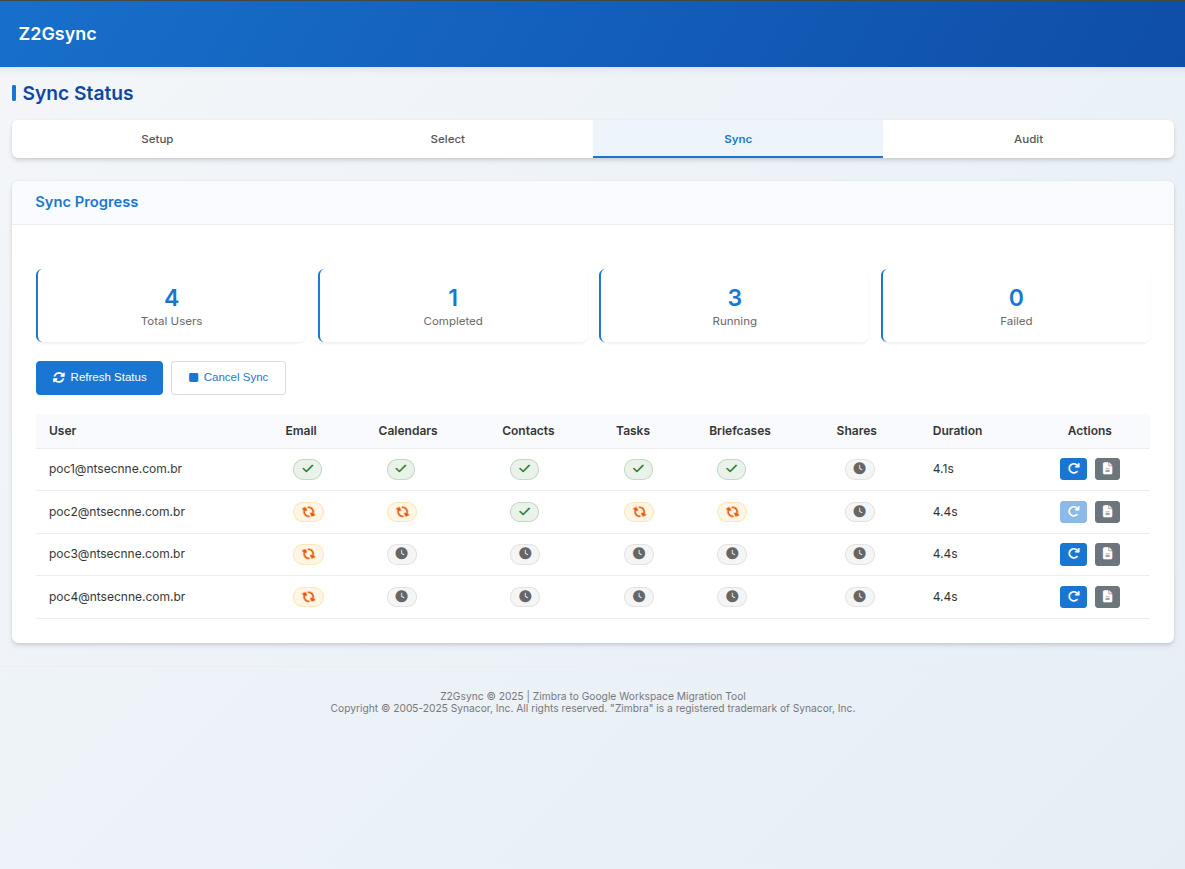
Sync
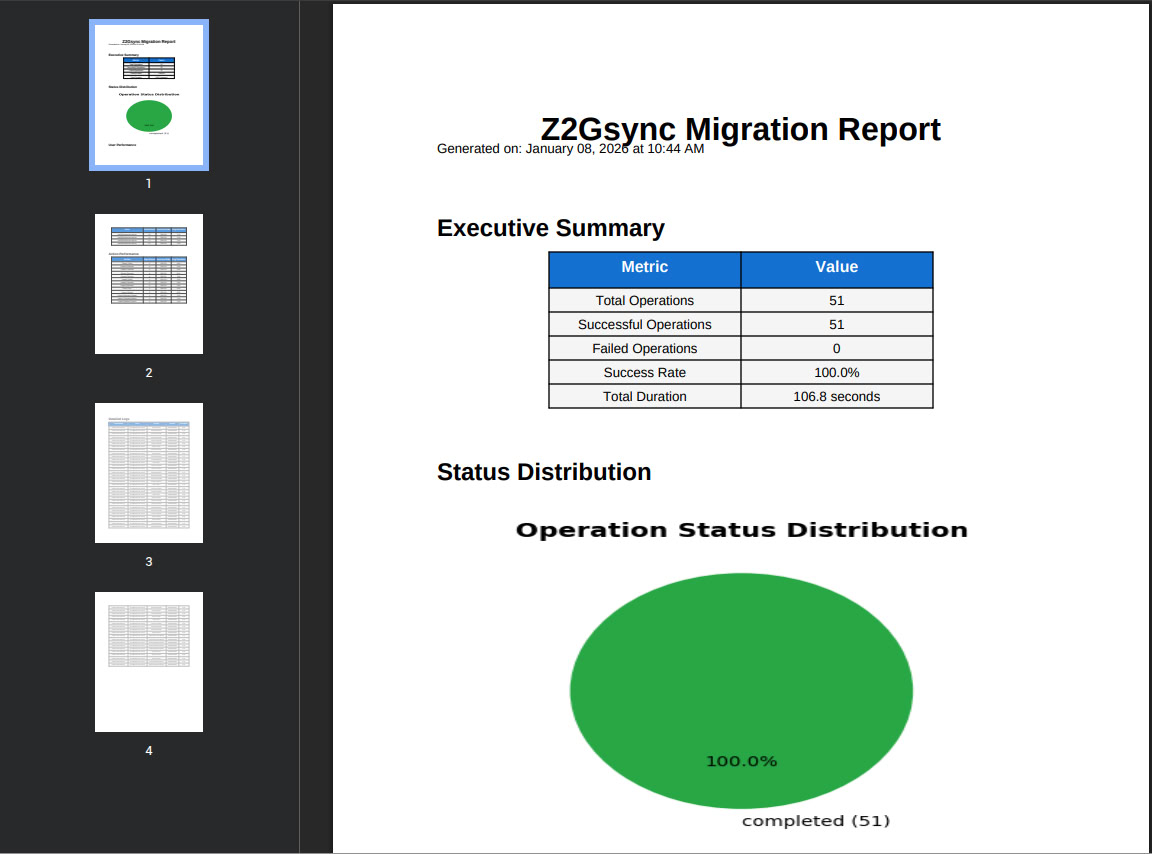
Start Migration and follow the progress dynamically. Track the status of each migrated item in real-time with detailed performance metrics and visual progress updates.
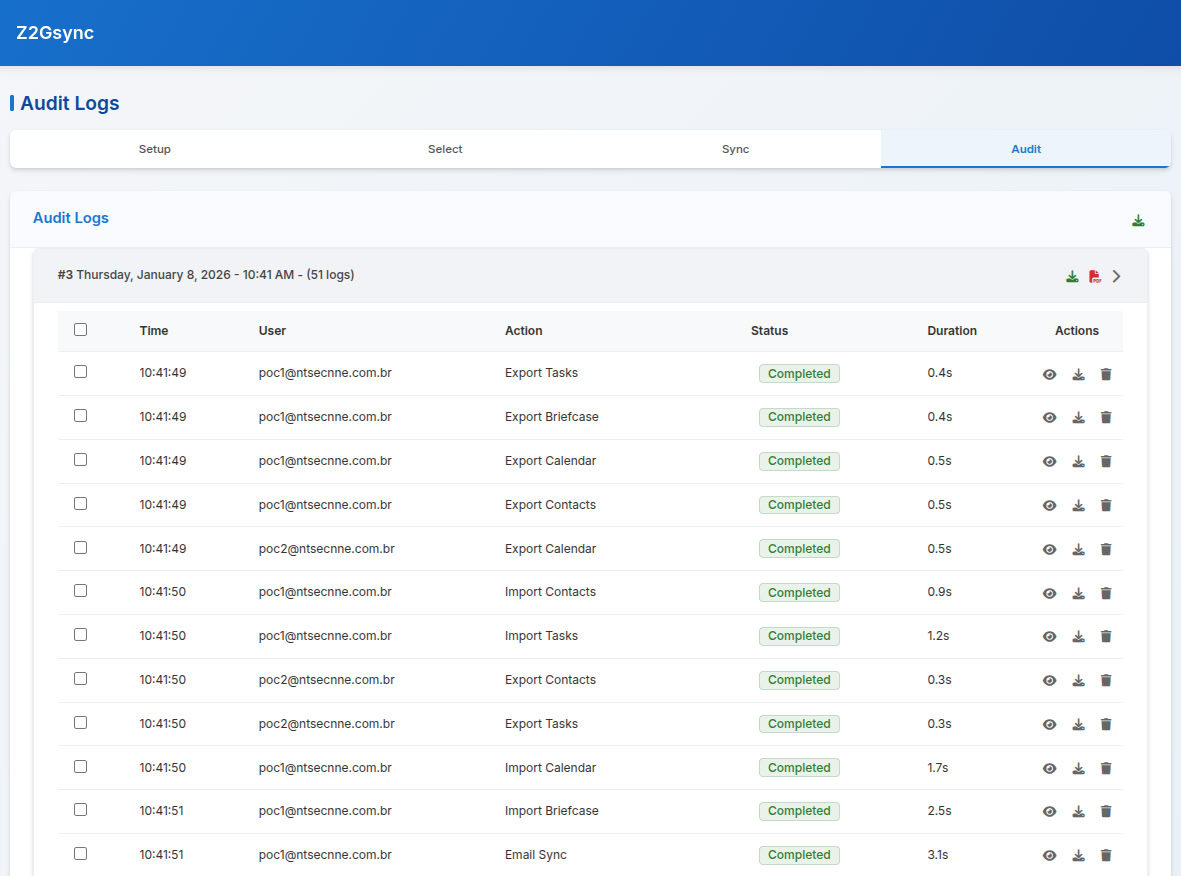
Audit
Logs, logs and more logs. Total transparency with detailed post-migration reports for auditing every single object and permission processed.
System Requirements
Self-hosted deployment for complete control and security
Environment
- • 64-bit Linux Operating System
- • Python 3.13+
- • bash 5.2+
Recommended Specifications
Primary Server
- • 3GHz 8+ Core Processor
- • 16+ GB Memory
- • 200+ GB Disk Space
Required Ports
Network Requirements
- • HTTP/HTTPS (Ports 80, 443)
- • Zimbra REST Port (typically 443/80)
- • Zimbra SOAP Port (typically 7071)
Google Workspace APIs
- • Calendar API
- • Contacts API
- • Gmail API
- • Drive API
- • Tasks API
Enterprise Security
Built with security as the top priority
Data Encryption
All data transfers use TLS encryption. Sensitive credentials are never stored in logs.
Principle of Least Privilege
Service accounts use minimal required permissions. No unnecessary API access granted.
Audit Logging
Comprehensive logging with detailed audit trails for compliance and troubleshooting.
Network Security Requirements
Outbound Connections
- •
mail.google.com:443 - •
www.googleapis.com:443 - •
accounts.google.com:443
Zimbra Connections
- •
cbdevel.cbmailplus.com:7071(Admin SOAP) - •
cbdevel.cbmailplus.com:443(REST API)
Ready to Start Your Migration?
Contact us to request a demo.
Contact Us TodayEnterprise Support • Custom Solutions • Migration Consulting